
Primavera P6 Construction Schedule: A Practical Guide to Project Planning, Baselines and Progress Tracking
Introduction
A Primavera P6 construction schedule is an important planning tool for organizing construction activities, estimating project timelines, coordinating resources and monitoring project progress.
Construction projects involve multiple activities, including site preparation, excavation, foundation work, structural construction, masonry, electrical installation, plumbing, finishing and project handover. These activities must be planned in the correct sequence and coordinated with available labour, materials, equipment and project resources.
Oracle Primavera P6 helps project planners develop structured schedules, define activity relationships, calculate project dates, identify critical activities and compare actual progress against the approved baseline.
For civil engineering students, site engineers, planning engineers and fresh engineering graduates searching for Primavera P6 training in Yelahanka, project planning courses in Bangalore or construction scheduling classes near me, this practical guide explains how to develop and monitor a construction schedule.
Whether you are planning a residential building, commercial construction project or infrastructure development, understanding the scheduling workflow is an important professional skill.
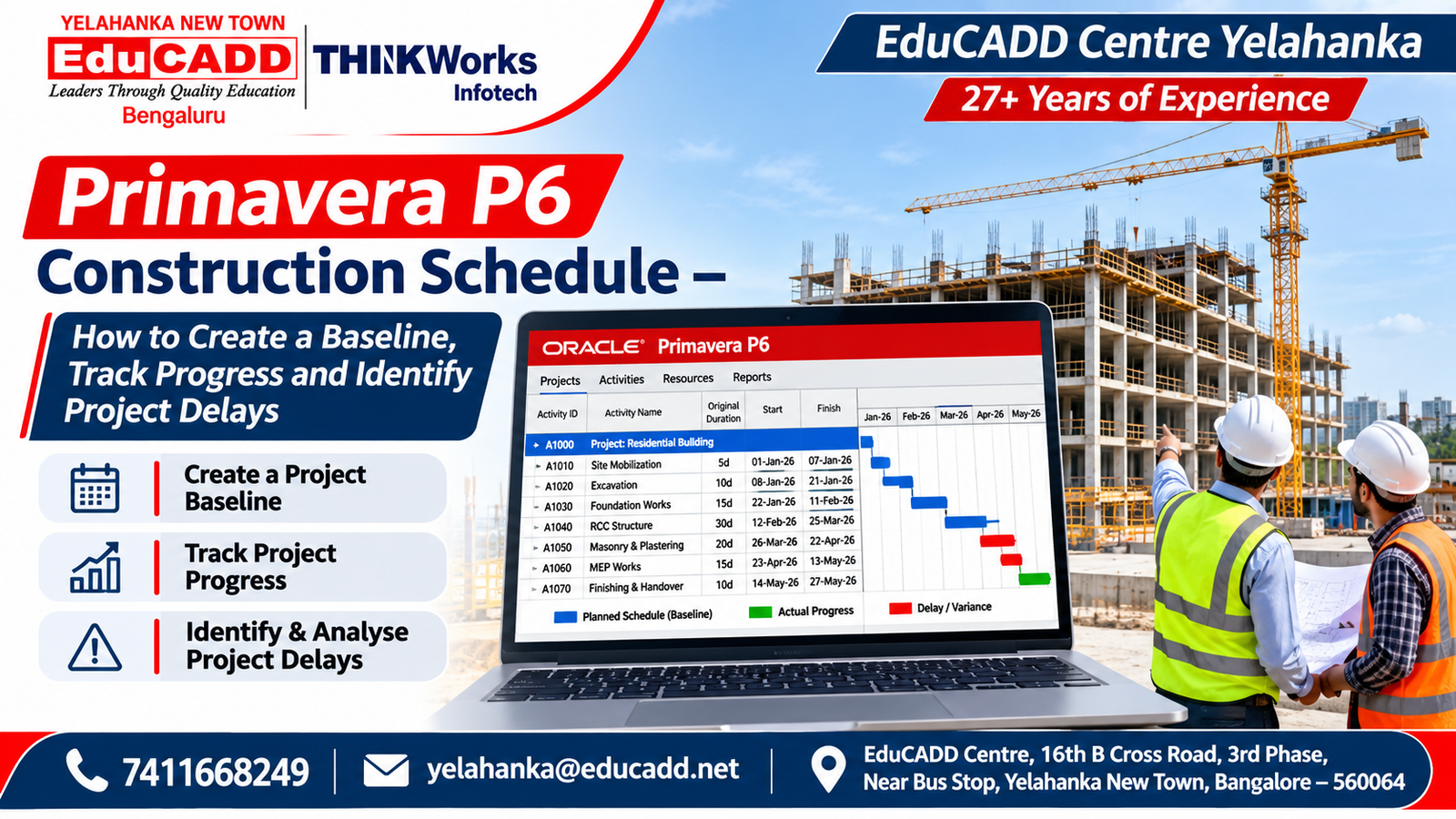
1. What Is a Primavera P6 Construction Schedule?
A construction schedule is a structured representation of the activities required to complete a construction project within an intended timeframe.
Primavera P6 is project management software used to organize project activities, relationships, resources, dates and progress information.
A construction schedule generally contains:
- Project start and finish dates
- Work Breakdown Structure (WBS)
- Activity identification numbers
- Activity descriptions
- Activity durations
- Project milestones
- Activity relationships
- Project calendars
- Planned start and finish dates
- Critical path information
- Resource assignments
- Project baseline
- Actual progress
- Remaining durations
- Schedule reports
The main purpose is to create a logical project plan that can be reviewed and updated throughout the project lifecycle.
A schedule is not simply a list of activities with dates. It should represent the actual construction sequence and dependencies between different work packages.
2. Why Is Primavera P6 Used in Construction Projects?
Construction projects require coordination between different departments, contractors, suppliers and engineering teams.
Primavera P6 provides a structured way to manage project scheduling information.
A. Project Planning
A project planner can organize construction work into logical stages, activities and milestones.
B. Activity Scheduling
Activities can be connected through predecessor and successor relationships to represent the construction sequence.
C. Critical Path Analysis
The schedule can help identify activities that influence the project’s calculated completion date.
D. Resource Planning
Resources such as labour, equipment and materials can be assigned to activities and reviewed.
E. Baseline Management
An approved baseline provides a reference for comparing the original plan with the current schedule.
F. Progress Monitoring
Project teams can record actual dates, remaining durations and progress information.
G. Project Reporting
Schedule information can be presented through Gantt charts, activity reports, progress reports and other project-control outputs.
Oracle’s official Primavera P6 documentation explains how project baselines and current schedules can be compared for progress and performance analysis.
3. Understanding the Important Concepts Before Creating a Schedule
Before opening Primavera P6, understand the following project planning concepts.
1. Work Breakdown Structure (WBS)
WBS means Work Breakdown Structure.
It is a hierarchical way of dividing a large project into smaller and more manageable sections.
For example, a residential construction project can be divided into:
- Pre-construction
- Site preparation
- Substructure
- Superstructure
- Masonry
- Electrical and plumbing works
- Finishing works
- External development
- Testing and handover
Each section can contain more detailed activities.
2. Activity
An activity represents a specific piece of work that needs to be completed.
Examples include:
- Site clearing
- Excavation
- PCC work
- Footing reinforcement
- Footing concrete
- Column construction
- Slab construction
- Brickwork
- Plastering
- Flooring
- Painting
Each activity should have a meaningful description and an appropriate duration.
3. Activity Duration
Activity duration represents the planned working time required to complete an activity.
For example:
| Activity | Illustrative duration |
|---|---|
| Site clearing | 3 working days |
| Excavation | 4 working days |
| Foundation preparation | 5 working days |
| Masonry work | 8 working days |
| Internal plastering | 6 working days |
These are hypothetical learning values, not standard construction production rates. Actual durations should be established using project quantities, productivity assumptions, available resources, site conditions and approved construction methods.
4. Activity Relationships
Activity relationships define how one activity is connected to another.
The four common relationship types are:
Finish to Start (FS)
The successor activity starts after the predecessor finishes.
Example: Excavation must finish before the next foundation activity begins.
Start to Start (SS)
The successor activity can start after the predecessor starts.
Example: Work in one defined construction zone may begin while work in another zone is continuing.
Finish to Finish (FF)
The successor activity cannot finish before the predecessor finishes.
Example: Two coordinated work packages may have linked completion requirements.
Start to Finish (SF)
The successor activity cannot finish until the predecessor starts. This relationship is less commonly used in ordinary building construction schedules.
Always select relationships based on real construction logic, not merely to make the Gantt chart look connected.
5. Project Calendar
A project calendar defines the working and non-working periods used for scheduling.
It may contain:
- Working days
- Working hours
- Weekly holidays
- Non-working days
- Special working periods
- Project-specific exceptions
For example, a construction project may use a six-day working week with Sunday as a non-working day.
However, different contractors, activities and resources may follow different calendars.
6. Critical Path
The Critical Path Method (CPM) identifies the sequence of logically connected activities that determines the calculated project completion date under the selected scheduling assumptions.
Activities on the critical path generally have little or no total float, depending on the schedule settings and calculation.
A delay in a critical activity can affect the planned project completion date if the lost time is not recovered.
7. Project Baseline
A baseline is a saved reference version of the approved project schedule.
It allows the project team to compare the original plan with the updated schedule.
8. Data Date
The data date is the date up to which project progress has been recorded and from which remaining work is scheduled.
It is important when updating a project schedule.
4. How to Create a Primavera P6 Construction Schedule Step by Step
Let’s understand the complete process through a hypothetical residential building project.
Assume that the project includes site preparation, foundation, structural work, masonry, building services, finishing and handover.
Step 1: Create a New Project
Open Primavera P6 Professional.
Create a new project under the appropriate Enterprise Project Structure (EPS).
Enter the basic project information:
- Project ID
- Project name
- Planned start date
- Responsible manager
- Project identification details
For this example, use the project name:
Residential Building Construction – Training Project.
Set the project start date according to the hypothetical project scenario.
Step 2: Configure the Project Calendar
Create or select a suitable project calendar.
Define:
- Working days
- Working hours
- Weekly holidays
- Non-working dates
- Special working periods
For example, a hypothetical six-day working calendar may have Monday to Saturday as working days and Sunday as a weekly holiday.
Check that the activity calendars and resource calendars are appropriate for the work being scheduled.
Step 3: Develop the Work Breakdown Structure
Create the project WBS.
An illustrative residential building WBS could be:
| WBS code | WBS description |
|---|---|
| 1.0 | Pre-construction |
| 2.0 | Site preparation |
| 3.0 | Substructure |
| 4.0 | Superstructure |
| 5.0 | Masonry and plastering |
| 6.0 | Electrical and plumbing |
| 7.0 | Finishing works |
| 8.0 | External development |
| 9.0 | Testing and handover |
Further divide each section into smaller work packages where necessary.
For example, Substructure can contain excavation, PCC, footing reinforcement, concrete work, inspection and backfilling.
Oracle provides instructions for adding WBS elements in Primavera P6.
Step 4: Create Project Activities
After developing the WBS, add the required activities under the appropriate sections.
For example:
Substructure activities
- Site setting out
- Excavation
- Foundation preparation
- PCC
- Footing reinforcement
- Footing formwork
- Footing concrete
- Inspection and curing-related hold
- Backfilling
Superstructure activities
- Column reinforcement
- Column formwork
- Column concrete
- Beam and slab formwork
- Slab reinforcement
- Embedded service coordination
- Slab concrete
- Masonry
Finishing activities
- Internal plastering
- External plastering
- Waterproofing
- Flooring
- Door and window installation
- Painting
- Electrical fixtures
- Plumbing fixtures
- Final inspection
Use meaningful activity IDs and descriptions.
Avoid creating activities that are too broad to monitor or unnecessarily small to manage.
Step 5: Assign Activity Durations
Estimate durations based on:
- Work quantities
- Labour availability
- Equipment availability
- Construction methodology
- Site conditions
- Productivity assumptions
- Material supply
- Contractor commitments
For example, foundation excavation may require a different duration depending on the soil conditions, excavation quantity, equipment and site accessibility.
Document the assumptions used to develop the duration estimates.
Do not use arbitrary durations simply to achieve a preferred project completion date.
Step 6: Define Activity Relationships
Connect the activities using appropriate predecessor and successor relationships.
An illustrative sequence could be:
| Activity | Predecessor | Relationship |
|---|---|---|
| Site setting out | None | — |
| Excavation | Site setting out | FS |
| Foundation preparation | Excavation | FS |
| Footing reinforcement | Foundation preparation | FS |
| Footing concrete | Footing reinforcement | FS |
| Inspection and specified hold period | Footing concrete | FS |
| Backfilling | Inspection and release | FS |
| Plinth and column work | Backfilling | FS |
| Ground-floor structural work | Plinth and column work | FS |
| Masonry | Relevant structural release | FS |
This is a simplified learning sequence. Actual construction dependencies must follow the approved drawings, inspection requirements, engineering decisions and construction methodology.
Where different floors or zones can progress concurrently, divide the work into appropriate zone-based activities and define the actual overlap.
Step 7: Calculate the Project Schedule
After entering activities, durations, calendars and relationships, use the scheduling function to calculate the project dates.
In Primavera P6 Professional, the Schedule command is available through Tools and the F9 shortcut.
Review the resulting:
- Early start dates
- Early finish dates
- Late start dates
- Late finish dates
- Total float
- Critical activities
- Project completion date
Check that the calculated dates make sense.
A schedule can calculate dates even when the underlying logic is incorrect. Therefore, review the relationships and constraints before treating the results as a reliable project plan.
Step 8: Review the Critical Path
Use the Gantt chart and relevant activity columns to review the critical path.
Identify:
- Activities with low or zero total float
- Activities controlling project completion
- Activities with excessive constraints
- Missing predecessor relationships
- Missing successor relationships
- Unnecessary scheduling gaps
For example, if a structural activity is delayed and all subsequent finishing activities depend on its completion, the project finish may also move.
The planner should investigate the reason for the delay and identify practical recovery opportunities.
Step 9: Assign Resources
Create the resources required for the project.
Typical resource categories include:
Labour
- Mason
- Carpenter
- Electrician
- Plumber
- Painter
- Steel fixer
- Site supervisor
Equipment
- Excavator
- Concrete mixer
- Concrete pump
- Tower crane
- Material handling equipment
Materials
- Cement
- Steel
- Sand
- Aggregate
- Bricks or blocks
- Flooring materials
Assign appropriate resources to activities where the project planning and cost-control scope requires them.
Check resource availability, calendars, units and resource allocation.
Resource assignments should be based on realistic work quantities and productivity assumptions.
Step 10: Create the Project Baseline
Once the schedule has been reviewed and formally approved, create a baseline.
The baseline acts as a reference for future schedule monitoring.
It can preserve information about:
- Original planned start dates
- Original planned finish dates
- Original durations
- Project milestones
- Planned activity sequence
- Other selected project information
Oracle explains the purpose of baselines in its official Primavera P6 Baselines Guide.
Important: Do not casually replace the approved baseline whenever the schedule changes. Baseline changes should follow the project’s approval and change-control procedure.
5. How to Update Construction Project Progress in Primavera P6
Creating the initial schedule is only one part of project planning.
The project team must regularly update the schedule using verified site progress information.
Step 1: Set the Data Date
Select the reporting date up to which actual progress has been recorded.
For example, a project may use a weekly reporting cycle.
The data date must reflect the agreed reporting cut-off.
Step 2: Collect Site Progress Information
Before updating P6, collect information from the site team.
Examples include:
- Activities started
- Activities completed
- Actual start dates
- Actual finish dates
- Physical quantities completed
- Remaining quantities
- Remaining durations
- Material availability
- Labour availability
- Delays and constraints
Use verified progress information rather than assumptions.
Step 3: Update Actual Start and Finish Dates
Enter the actual dates for activities that have started or finished.
For example:
An activity may have been planned to start on 5 December but actually started on 8 December.
Record the actual start date correctly.
For completed activities, record the actual finish date.
Step 4: Update Percentage Complete
Primavera P6 supports different activity percent-complete methods.
Common methods include:
Duration Percent Complete
Used to measure progress based on actual and remaining activity duration.
Physical Percent Complete
Used to record measured physical progress based on the project’s progress measurement method.
Units Percent Complete
Used where resource units and associated progress information are being tracked.
Choose the method appropriate to the activity and project-control procedure.
For example, a concrete activity may be measured using verified physical quantities or agreed milestones rather than relying only on elapsed time.
Step 5: Update Remaining Duration
For activities that are still in progress, estimate the remaining working time based on current site conditions.
For example:
If an activity was originally planned for 10 working days but has used 6 working days, the remaining duration is not automatically 4 days.
Actual progress may be faster or slower than planned.
The planner should use verified site information to estimate the remaining work.
Step 6: Reschedule the Project
After updating activity information, recalculate the schedule using the updated data date.
Review the revised project dates and activity sequences.
Oracle’s official Updating Progress in Primavera P6 documentation explains how P6 applies progress information and calculates actual and remaining activity durations.
Step 7: Compare Actual Progress Against the Baseline
Display the current schedule and baseline bars in the Gantt chart.
Compare:
- Baseline start
- Actual start
- Baseline finish
- Forecast finish
- Planned duration
- Actual duration
- Remaining duration
- Total float
This helps the project team identify activities that are ahead of or behind the approved plan.
6. How to Identify Construction Project Delays Using Primavera P6
Project delays can arise from several causes.
Examples include:
- Delayed drawing approvals
- Late material deliveries
- Labour shortages
- Equipment breakdowns
- Weather interruptions
- Site access restrictions
- Design changes
- Rework
- Inspection delays
- Contractor coordination problems
A planning engineer should not simply report that an activity is delayed.
The planner should identify the reason, affected activities and possible impact on the project completion date.
Example: Foundation Work Delay
Assume that foundation work was planned to finish before the structural construction phase.
However, the actual foundation work is delayed because of unexpected site conditions.
The planning engineer should:
- Verify the actual progress.
- Record the correct actual dates.
- Update the remaining duration.
- Recalculate the schedule.
- Identify the affected successor activities.
- Review changes in total float.
- Check whether the project completion date is affected.
- Discuss practical recovery options with the project team.
Possible recovery measures may include additional resources, revised work sequencing, additional shifts where appropriate or resequencing work across independent areas.
Any recovery plan must be reviewed for technical feasibility, safety, quality, resource availability and cost.
Understanding Schedule Variance
Schedule variance can be reviewed in several ways.
For example:
- Baseline finish versus forecast finish
- Baseline start versus actual start
- Planned progress versus actual progress
- Changes in total float
- Critical path changes
A simple date comparison can be useful, but it does not explain every aspect of schedule performance.
For more advanced project controls, earned value management can be used when the project has suitable budget, progress measurement and cost information.
7. Understanding Baseline Comparison in Primavera P6
A baseline provides the original approved reference for project performance analysis.
Consider this hypothetical example:
| Activity | Baseline finish | Current forecast finish |
|---|---|---|
| Excavation | 10 December | 12 December |
| Foundation | 20 December | 24 December |
| Structural work | 15 January | 20 January |
| Masonry | 5 February | 12 February |
These dates are illustrative only.
The comparison indicates changes between the original plan and the current forecast.
However, the planner must also investigate whether these changes affect the project’s overall completion date.
A delay in an activity with available float may not necessarily delay the entire project.
Oracle explains how to Compare Current and Baseline Schedules in Primavera P6, including the use of baseline bars, planned values and schedule reporting.
8. Important Reports in Primavera P6 for Construction Planning
Project planners use reports to communicate schedule information to project managers, contractors and clients.
Useful reports include:
1. Project Schedule Report
Shows the planned project activities, dates and durations.
2. Activity Report
Provides information about individual activities, their status and scheduling details.
3. Critical Activities Report
Helps identify activities that require close monitoring because of their effect on project completion.
4. Baseline Comparison Report
Compares current schedule information against the original project baseline.
5. Resource Usage Report
Provides information about planned resource assignments and utilization.
6. Progress Report
Summarizes actual project progress and outstanding work.
7. Milestone Report
Shows important project events and target completion dates.
8. Schedule Variance Report
Helps communicate differences between planned and current project dates.
9. Cost Report
Can provide budgeted, actual and forecast cost information where cost data is properly configured.
10. Management Dashboard
Presents selected project information in a summary format for management review.
A report should be tailored to the audience and reporting period. A site supervisor may need detailed activity information, while senior management may need milestone status, major delays and forecast completion.
9. Practical Primavera P6 Project for Students
One of the best ways to understand construction scheduling is to develop a complete practice project.
Project: G+2 Residential Building Construction Schedule
Create a hypothetical Ground + 2 residential building schedule.
Include the following WBS sections:
1. Pre-construction
- Drawing review
- Project approvals
- Site mobilization
- Setting out
2. Site preparation
- Site clearing
- Excavation
- Site preparation
3. Substructure
- PCC
- Footing reinforcement
- Footing formwork
- Foundation concrete
- Inspection and curing-related activities
- Backfilling
- Plinth work
4. Superstructure
- Ground-floor structural work
- First-floor structural work
- Second-floor structural work
- Roof slab work
- Structural inspection
5. Masonry and plastering
- Ground-floor masonry
- First-floor masonry
- Second-floor masonry
- Internal plastering
- External plastering
6. Electrical and plumbing
- Electrical rough-in
- Plumbing rough-in
- Service testing
- Fixture installation
7. Finishing works
- Waterproofing
- Flooring
- Doors and windows
- Painting
- Final fixtures
8. External development
- Site drainage
- External paving
- Compound wall
- Landscaping, if applicable
9. Testing and handover
- Quality inspection
- Snag rectification
- Final testing
- Documentation
- Project handover
Required Project Deliverables
Students should prepare:
- Complete WBS
- Activity register
- Activity durations
- Activity relationships
- Project calendar
- Gantt chart
- Critical path analysis
- Resource assignments
- Approved baseline exercise
- Progress update exercise
- Baseline comparison
- Schedule reports
Additional Practical Exercise
Introduce a hypothetical delay in foundation work.
Update the project schedule and observe:
- Which successor activities are affected?
- Does the critical path change?
- How does total float change?
- Does the forecast completion date move?
- What recovery options can be evaluated?
This exercise helps students understand how scheduling decisions influence the project.
The project is a learning exercise and must not be treated as an approved construction programme.
10. Common Mistakes Beginners Make in Primavera P6
1. Creating Activities Without a Proper WBS
A poorly structured project becomes difficult to manage and report.
2. Using Incorrect Activity Durations
Duration estimates should be based on quantities, productivity and resource availability.
3. Linking Every Activity in a Simple Chain
Real construction projects often have overlapping work packages and different execution zones.
Use relationships that reflect actual construction logic.
4. Using Too Many Constraints
Unnecessary constraints can distort schedule calculations and hide the effect of activity relationships.
5. Ignoring Project Calendars
Incorrect working days and holidays can produce misleading dates.
6. Not Reviewing Open Ends
Activities without appropriate predecessors or successors may indicate incomplete schedule logic.
7. Creating a Baseline Before Schedule Approval
The baseline should represent the approved project plan, not an unfinished draft.
8. Updating Progress Without Site Verification
Incorrect actual dates and percentage-complete values can create unreliable reports.
9. Changing the Baseline Without Change Control
An approved baseline should be preserved according to the project’s change-control procedure.
10. Focusing Only on the Gantt Chart
A professional schedule also requires activity logic, resource information, assumptions, constraints and progress records.
11. Primavera P6 vs Microsoft Project: What Should Students Understand?
Both Primavera P6 and Microsoft Project are used for project planning and scheduling.
Their suitability depends on project complexity, organization, existing workflows and employer requirements.
| Feature | Primavera P6 | Microsoft Project |
|---|---|---|
| Project scheduling | Yes | Yes |
| WBS | Yes | Yes |
| Activity relationships | Yes | Yes |
| Gantt charts | Yes | Yes |
| Project calendars | Yes | Yes |
| Resource management | Yes | Yes |
| Baseline management | Yes | Yes |
| Progress tracking | Yes | Yes |
| Project reporting | Yes | Yes |
| Multi-project planning | Supported | Depends on product and configuration |
Students should understand scheduling fundamentals rather than relying on one software package.
Learning both tools can provide broader exposure to project planning workflows.
12. Career Opportunities After Primavera P6 Training
Primavera P6 skills can support preparation for roles in construction, infrastructure, engineering and project controls.
Possible career roles include:
1. Planning Engineer
Supports project planning, schedule development, progress monitoring and reporting.
2. Junior Planning Engineer
Assists senior planning professionals with activity updates, schedule preparation and project documentation.
3. Project Scheduler
Develops and maintains project schedules, activity relationships and milestone information.
4. Project Controls Assistant
Supports schedule and cost monitoring, project reporting and performance analysis.
5. Construction Planning Engineer
Works with construction teams to develop activity sequences, coordinate resources and monitor construction progress.
6. Project Coordinator
Supports communication and coordination between different project teams.
7. Planning and Scheduling Engineer
Works on project schedules, baseline comparisons, progress updates and schedule analysis.
8. Project Management Assistant
Supports project documentation, scheduling, reporting and administrative coordination.
Skills That Improve Career Readiness
Along with Primavera P6, students should develop:
- Civil engineering fundamentals
- Construction methodology
- Drawing interpretation
- Quantity and productivity awareness
- Project scheduling
- Critical Path Method
- Resource planning
- Progress measurement
- Delay analysis
- Excel skills
- Professional reporting
- Communication and coordination
A software certificate alone does not make someone an experienced planning engineer. Practical construction knowledge, engineering qualifications, site exposure and the ability to interpret actual project information are important.
13. Primavera P6 Training in Yelahanka, Bangalore at EduCADD Centre
Are you searching for:
- Primavera P6 course in Yelahanka?
- Primavera P6 training in Bangalore?
- Project planning course near me?
- Construction scheduling training in Yelahanka New Town?
- Planning engineer software training?
- Primavera P6 classes in North Bangalore?
- Construction project management software course?
- Primavera P6 training with placement assistance?
- Project scheduling and management classes in Bangalore?
EduCADD Centre Yelahanka offers Project Planning and Management training with Primavera P6 and Microsoft Project.
With 27+ years of experience, EduCADD Centre focuses on practical software education, engineering project exercises and career-oriented training.
The published Project Planning and Management course covers:
Project Planning Fundamentals
- Project lifecycle
- Project scope
- Project deliverables
- Work Breakdown Structure
- Project activities
- Milestones
Primavera P6
- Project creation
- EPS and OBS concepts
- WBS development
- Activity creation
- Activity relationships
- Project calendars
- Scheduling
- Critical Path Method
- Baseline creation
- Resource planning
- Progress updates
- Schedule monitoring
- Project reports
Microsoft Project
- Project setup
- Task creation
- Task dependencies
- Project calendars
- Resource allocation
- Gantt charts
- Baseline management
- Progress tracking
- Project reports
Practical Construction Planning
- Residential building schedules
- Commercial construction schedules
- Infrastructure project exercises
- Activity sequencing
- Resource planning
- Baseline comparison
- Progress monitoring
- Delay identification
- Project reporting
Explore the Primavera P6 Course in Bangalore at EduCADD Centre Yelahanka for the published course syllabus.
You can also explore the Project Planning and Management Course in Yelahanka for information about Primavera P6, Microsoft Project and project management training.
Students can contact the centre to confirm current batch availability, course fees, duration, timings, software coverage and practical project arrangements.
EduCADD Centre provides practical project guidance, career counselling, resume preparation, interview preparation and placement assistance for eligible students. Placement assistance does not guarantee a job or employment.
Conclusion
A well-developed Primavera P6 construction schedule helps project teams organize activities, understand dependencies, monitor progress and evaluate schedule performance.
Learning Work Breakdown Structure, activity planning, relationships, project calendars, critical path analysis, baseline management and progress updating provides a useful foundation for construction project planning.
Working on a complete residential or commercial construction scheduling exercise can help students understand how project schedules are developed and maintained.
If you are looking to develop practical project planning and scheduling skills, explore Primavera P6 training at EduCADD Centre Yelahanka, Bangalore.
Learn. Plan. Schedule. Monitor. Build your project planning skills with EduCADD Centre Yelahanka.
Contact EduCADD Centre Yelahanka
27+ Years of Experience
Phone: 7411668249
Email: yelahanka@educadd.net
Address: EduCADD Centre, 16th B Cross Road, 3rd Phase, Near Bus Stop, Yelahanka New Town, Bangalore – 560064
Website: https://www.educaddcentre.in
EduCADD Centre – Leaders Through Quality Education.