
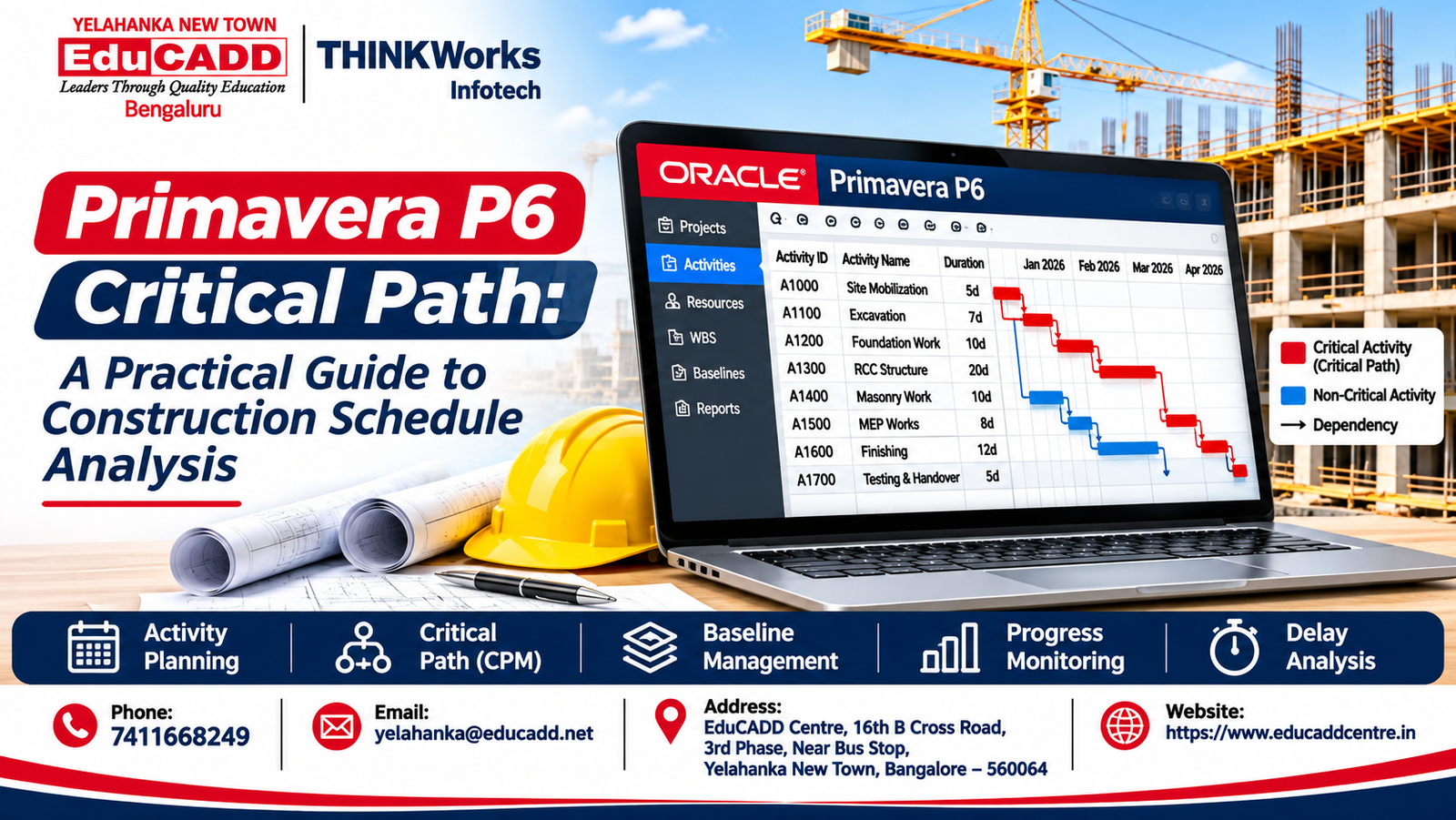
Primavera P6 Critical Path: A Practical Guide to Construction Schedule Analysis
Introduction
The Primavera P6 critical path is an important concept in construction project planning and scheduling. It helps planning engineers understand which activities directly influence the overall project completion date.
Construction projects involve hundreds of interconnected activities, including site preparation, excavation, foundation work, structural construction, electrical installations, plumbing, finishing and handover. Delays in certain activities can affect the entire project timeline.
Primavera P6 is a professional project planning and scheduling application used to organize activities, define relationships, calculate project schedules, manage resources and monitor progress.
For civil engineers, planning engineers and construction professionals, understanding the Critical Path Method (CPM) is an essential part of developing project scheduling skills.
If you are searching for Primavera P6 training in Yelahanka, project planning courses in Bangalore or construction scheduling software training near me, this guide explains how the critical path works and how to analyse it using Primavera P6.
What Is the Critical Path Method (CPM)?
The Critical Path Method is a project scheduling technique used to identify the longest sequence of logically connected activities that determines the shortest possible project completion time, based on the defined schedule.
Activities on the critical path require close monitoring because delays to these activities can affect the project’s planned completion date.
For example, consider a residential building construction project.
Before structural construction can begin, certain activities must be completed in sequence:
- Site preparation
- Excavation
- Foundation work
- Column and beam construction
- Slab construction
- Masonry
- Finishing
- Testing and handover
Some activities can happen simultaneously, while others depend on the completion of previous activities.
CPM helps planning engineers understand these relationships and identify the activities that control the project completion date.
Why Is the Primavera P6 Critical Path Important?
Understanding the Primavera P6 critical path helps project planning professionals analyse project schedules and identify activities that require closer attention.
1. Identifies Critical Activities
The critical path helps identify activities that have a direct influence on the planned project completion date.
Planning engineers can monitor these activities more closely and review their progress regularly.
2. Helps Identify Potential Delays
When critical activities are delayed, the overall completion date may also be affected.
Critical path analysis helps project teams identify schedule risks and investigate possible corrective actions.
3. Improves Project Scheduling
Understanding activity relationships helps engineers develop more realistic construction schedules.
4. Supports Resource Planning
Project planners can review labour, materials, equipment and other resource requirements for important activities.
5. Helps with Project Monitoring
Comparing actual progress with the planned schedule helps identify deviations and activities that need attention.
6. Supports Better Project Decisions
Critical path analysis helps project teams evaluate possible schedule recovery options and understand the potential effects of changes.
Important Primavera P6 Concepts You Should Understand
Before analysing the critical path, students should understand several important project scheduling concepts.
1. Work Breakdown Structure (WBS)
A Work Breakdown Structure divides a large project into smaller, manageable sections.
For example, a residential construction project can be divided into:
- Project initiation
- Site preparation
- Foundation
- Structural works
- Masonry
- Electrical and plumbing
- Finishing
- Handover
WBS helps organize project activities logically.
2. Activities
Activities represent the individual tasks required to complete a project.
Examples include excavation, reinforcement work, concrete pouring, blockwork, plastering and painting.
Each activity can have a defined duration, calendar and other scheduling information.
3. Activity Relationships
Activity relationships define how one task depends on another.
Primavera P6 supports four commonly used relationship types.
Finish to Start (FS):
The successor activity starts after the predecessor activity finishes.
Example: Excavation must finish before foundation construction begins.
Start to Start (SS):
The successor activity can start after the predecessor activity starts, subject to the defined relationship lag.
Example: Two coordinated site preparation activities may start together.
Finish to Finish (FF):
The successor activity cannot finish until the predecessor activity finishes, subject to the relationship lag.
Example: Two related work packages may need to finish in coordination.
Start to Finish (SF):
The successor activity cannot finish until the predecessor activity starts. This relationship is less common in ordinary construction schedules.
Understanding these relationships is essential for building a logically connected project schedule.
4. Total Float
Total float indicates how much an activity can be delayed without affecting the calculated project completion date, subject to the schedule’s logic and settings.
Activities with very low or zero total float are generally treated as critical under the applicable criticality criteria.
5. Free Float
Free float represents how much an activity can be delayed without delaying the early start of its immediate successor activity.
Understanding the difference between total float and free float helps planning engineers evaluate schedule flexibility.
6. Project Baseline
A baseline is an approved reference version of a project schedule used to compare planned and actual performance.
It helps project teams understand whether activities are progressing according to the original plan.
How to Identify the Primavera P6 Critical Path
Primavera P6 provides scheduling and analysis features that help users identify critical activities and review critical paths.
Follow this practical workflow.
Step 1: Create a New Project
Open Primavera P6 and create a project.
Enter the project details, including:
- Project ID
- Project name
- Planned start date
- Responsible manager
- Project calendar
For example, create a project named Residential Building Construction.
Step 2: Develop the Work Breakdown Structure
Divide the project into logical sections.
A building project might include:
- Mobilization
- Excavation and foundation
- Structural construction
- Masonry
- MEP works
- Finishing
- Handover
Step 3: Create Project Activities
Enter the activities under their respective WBS sections.
Examples include:
- Site clearance
- Excavation
- PCC work
- Footing reinforcement
- Footing concrete
- Column construction
- Beam and slab work
- Masonry
- Electrical installation
- Plumbing installation
- Flooring
- Painting
- Final inspection
Step 4: Assign Activity Durations
Enter realistic activity durations based on the project scope, available resources, construction methods and site conditions.
Avoid assigning arbitrary durations just to obtain a preferred completion date.
Step 5: Define Activity Relationships
Connect activities using predecessor and successor relationships.
For example:
Site preparation → Excavation → Foundation → Structural work → Masonry → Finishing.
Some activities can be performed in parallel when the work sequence, site conditions and available resources allow it.
Step 6: Assign Calendars
Define appropriate project and activity calendars.
Consider:
- Working days
- Working hours
- Weekly holidays
- Non-working days
- Activity-specific calendars
Calendar settings influence calculated activity dates and project duration.
Step 7: Schedule the Project
Run the scheduling calculation after defining the activities, durations, relationships and calendars.
Review the calculated early and late dates and total float.
Step 8: Identify Critical Activities
Use Primavera P6’s critical path filtering and activity information to identify critical activities.
Review the activity relationships and total float rather than relying only on the colour of bars in the Gantt chart.
You can also explore Oracle’s official Primavera P6 critical path documentation.
Step 9: Review the Schedule
Check whether the critical path is logically connected and whether any activities have:
- Incorrect relationships
- Missing predecessors
- Missing successors
- Unrealistic durations
- Incorrect calendar assignments
- Unnecessary constraints
Step 10: Prepare a Project Schedule Report
Prepare a report containing critical activities, planned dates, actual progress, remaining durations, total float and important milestones.
This helps communicate project schedule performance to the project team.
Practical Example: Critical Path Analysis for a Residential Building
Consider a sample residential construction project with the following activities.
| Activity | Work description | Duration |
|---|---|---|
| A | Site mobilisation | 2 days |
| B | Excavation | 5 days |
| C | Foundation work | 7 days |
| D | RCC structural frame | 12 days |
| E | Masonry work | 8 days |
| F | MEP rough-in | 6 days |
| G | Internal finishing | 10 days |
| H | External works | 7 days |
| I | Testing and handover | 2 days |
The activity relationships are:
A → B → C → D → E → F → G → I
External works (H) can begin after foundation work (C), provided site access and resources allow it. Final handover (I) requires both internal finishing (G) and external works (H) to be completed.
The main sequential path has the following duration:
2 + 5 + 7 + 12 + 8 + 6 + 10 + 2 = 52 days.
The external works branch takes 21 days from project commencement in this simplified example.
Therefore, the main sequence is the controlling path, with an illustrative project duration of 52 working days.
Important: This is a simplified educational example. It assumes one consistent working calendar, straightforward finish-to-start relationships, no additional constraints and no resource-related delays. Actual Primavera P6 results depend on the complete schedule logic, calendars, data date, progress and scheduling settings.
How to Monitor Critical Path Activities During Construction
Identifying the critical path is only the beginning. Planning engineers must also monitor project performance throughout construction.
1. Record Actual Progress
Update activities using verified site progress information.
Record actual start dates, actual finish dates and remaining duration as applicable.
2. Update the Data Date
The data date represents the point up to which project progress has been recorded for the current schedule update.
Use the correct reporting date when updating the project.
3. Compare Planned and Actual Progress
Compare the current schedule with the approved baseline to identify deviations.
4. Identify Delayed Activities
Review activities that have moved behind their planned dates and investigate the reasons.
5. Review Critical Path Changes
The critical path can change as the project progresses.
Activities that were previously non-critical may become critical because of delays, changed durations, logic revisions or resource constraints.
6. Prepare Progress Reports
Share relevant information with project managers and other stakeholders through schedule reports, activity reports and progress summaries.
How to Manage Construction Delays Using Critical Path Analysis
Construction delays may occur because of material shortages, labour availability, equipment breakdowns, weather, design changes and approval delays.
Planning engineers can use schedule analysis to evaluate suitable recovery strategies.
1. Review Activity Relationships
Check whether activity relationships accurately represent the actual construction sequence.
2. Consider Resource Reallocation
Review whether additional suitable resources can be assigned to delayed activities without affecting other work packages.
3. Evaluate Fast Tracking
Fast tracking involves performing selected activities in parallel that were originally planned sequentially.
This should only be considered when the technical sequence, safety requirements and site conditions permit it.
4. Evaluate Crashing
Crashing involves adding resources or using alternative methods to shorten selected activity durations.
Evaluate the additional cost, productivity and feasibility before making changes.
5. Prepare a Revised Schedule
If approved project changes are required, update the schedule while maintaining proper documentation and baseline comparison.
Primavera P6 vs Microsoft Project for Construction Scheduling
Both applications support project planning and scheduling, but they offer different capabilities and workflows.
| Feature | Primavera P6 | Microsoft Project |
|---|---|---|
| Project scheduling | Yes | Yes |
| WBS | Yes | Yes |
| Activity relationships | Yes | Yes |
| Critical path analysis | Yes | Yes |
| Resource management | Yes | Yes |
| Baseline management | Yes | Yes |
| Progress tracking | Yes | Yes |
| Multi-project management | Strong project portfolio capabilities | Depends on product and configuration |
| Typical applications | Complex construction and engineering projects | Projects across different industries |
The right application depends on project size, organization requirements, team workflows and reporting needs.
Students interested in construction planning can benefit from understanding both applications.
Practical Primavera P6 Projects for Students
Practical exercises help students develop scheduling knowledge beyond software commands.
Consider completing these projects:
Project 1: G+2 Residential Building Schedule
Develop a construction schedule covering site preparation, foundation, structural works, masonry, services and finishing.
Project 2: Commercial Building Project Schedule
Create a detailed schedule for a commercial building with multiple work packages, milestones and activity relationships.
Project 3: Infrastructure Project Schedule
Prepare an academic schedule for a road or infrastructure project involving multiple activities and resource requirements.
Project 4: Baseline and Progress Monitoring
Create a project baseline and update the schedule using sample progress information.
Compare planned and actual dates and identify schedule deviations.
Project 5: Critical Path and Delay Analysis
Develop a schedule, identify critical activities and evaluate the effects of selected activity delays.
For every project, prepare:
- Project introduction
- Work Breakdown Structure
- Activity list
- Activity durations
- Predecessor and successor relationships
- Project calendar
- Gantt chart
- Critical path report
- Baseline schedule
- Progress update
- Project summary report
These projects can become useful additions to a planning engineer portfolio.
Career Opportunities After Primavera P6 Training
Primavera P6 skills can support career preparation in construction, infrastructure and engineering project environments.
Depending on educational qualifications, practical knowledge and work experience, learners can explore roles such as:
Planning Engineer
Develops project schedules, monitors activity progress and supports planning activities.
Project Scheduler
Creates and updates project schedules and reviews activity relationships and milestones.
Junior Planning Engineer
Supports senior planning professionals with activity tracking, schedule updates and reporting.
Construction Planning Engineer
Works with construction schedules, resources, milestones and progress monitoring.
Project Controls Assistant
Supports schedule reporting, progress measurement and project control activities.
Project Coordinator
Assists with communication, documentation, activity coordination and project monitoring.
Learning Primavera P6 alone does not guarantee employment. Knowledge of construction activities, Excel, project planning concepts, communication and practical scheduling exercises is also important.
Primavera P6 Course in Yelahanka, Bangalore at EduCADD Centre
Are you searching for:
- Primavera P6 training in Yelahanka?
- Primavera P6 course in Bangalore?
- Project planning courses near me?
- Construction planning training in Bangalore?
- Planning engineer software training?
- Primavera P6 classes in Yelahanka New Town?
- Project scheduling courses in North Bangalore?
- Construction project management software training?
EduCADD Centre Yelahanka offers Primavera P6 training for civil engineering students, diploma holders, graduates, site engineers and working professionals.
The training covers practical project planning and scheduling concepts, including:
- Primavera P6 fundamentals
- Project creation and setup
- Work Breakdown Structure
- Activity creation
- Activity relationships
- Project calendars
- Critical Path Method
- Resource planning
- Resource allocation
- Project baselines
- Progress updates
- Schedule monitoring
- Delay analysis
- Project reporting
- Practical construction project exercises
Explore the Primavera P6 Course in Yelahanka at EduCADD Centre for course details and training information.
Students who want broader project planning knowledge can also explore the Project Planning and Management Course in Yelahanka, which includes Primavera P6 and Microsoft Project training.
With 27+ years of experience, EduCADD Centre focuses on practical software education, project-based learning and career-oriented support.
Contact the centre to enquire about current course availability, syllabus, fees, batch schedules and training options.
Why Choose EduCADD Centre Yelahanka?
EduCADD Centre Yelahanka provides technical software training across multiple engineering and technology disciplines.
Students can explore:
- Mechanical CADD
- Civil CADD
- Electrical CADD
- BIM and Revit
- Interior Design
- Architecture and Visualization
- Project Planning and Management
- IT and Software Courses
Training support includes practical software sessions, project guidance, resume preparation, interview preparation and placement assistance.
Placement assistance supports career preparation and relevant opportunities; employment is not guaranteed.
Visit the EduCADD Centre Courses page to explore available training areas.
Conclusion
The Primavera P6 critical path is an important concept for construction project planning and scheduling.
Understanding WBS, activities, activity relationships, durations, calendars, float and schedule updates helps planning engineers develop and analyse structured project schedules.
Learning to identify critical activities, monitor progress and evaluate possible schedule delays can strengthen a student’s understanding of project planning workflows.
If you want to develop practical Primavera P6 and construction scheduling skills, explore the training options at EduCADD Centre Yelahanka, Bangalore.
Build your project planning skills with practical learning and project-based training.
Contact EduCADD Centre Yelahanka
27+ Years of Experience
EduCADD Centre – Leaders Through Quality Education.
Contact EduCADD Centre Yelahanka for course details, fees, upcoming batches and career guidance.
📞 7411668249
📧 yelahanka@educadd.net
📍 EduCADD Centre, 16th B Cross Road, 3rd Phase, Near Bus Stop, Yelahanka New Town, Bangalore – 560064
🌐 www.educaddcentre.in